This second lesson continues the journey begun with Computational thinking: from intuition to precise algorithms.
In the first article we turned intuitive operations on digits into precise procedures. Now we take the next step: learning to build an algorithm. We start not with a programming language, but with three structures for organising actions: sequence, decision and repetition.
We continue to compare human and machine solutions. The first column describes one possible intuitive approach; the second an explicit procedure. These are not exclusive abilities: a person can follow the algorithm, and a problem may have several correct solutions.
Before instructions: define the problem
An algorithm is a procedure made of precise instructions. To design one, establish the input—the available data—and the output—the expected result. Initial conditions must also be explicit: knowing a robot’s position is not enough unless we know which way it faces.
State is the information that can change during execution: position, direction, items still to pack, repetition counter. At each step, ask which information changes and which stays the same.
For example, calculating an invented exercise tariff requires more than saying ‘children pay less’. Specify the age threshold, whether it is inclusive, the prices and the treatment of invalid data. Defining the problem is already part of solving it.
Sequence: the order of actions
Problem. Pack a school bag using an already available list of books and notebooks, then close it.
| Human solution | Machine solution |
|---|---|
| Imagine the packed bag and gather what is needed. Experience lets us spontaneously correct a misplaced action, for example reopening the bag if a book is missing. | First prepare and check the list, then insert the listed items and only finally close the bag. The order is explicit: closing it before inserting the items would require reopening it. |
- Prepare the list
- Check that the items are available
- Put the listed items in the bag
- Close the bag
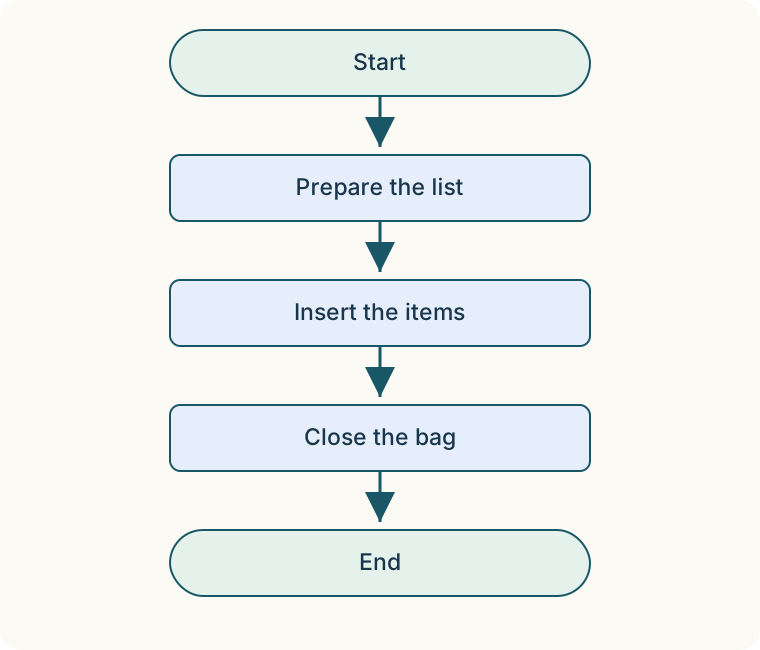
A sequence executes one instruction after another. But a phrase such as ‘insert the items’ is still a high-level action: if the executor cannot perform it, we must decompose it. The necessary detail depends on the operations the executor understands.
In the laboratory, elementary actions are precise: Move forward one cell, Turn left 90°, Turn right 90°. Turning does not change the robot’s cell, only its direction. After a turn, Move may therefore take it in a different direction from before.
Decision: IF… ELSE
Problem. For an imaginary visit, ages up to and including 12 pay €3; ages over 12 pay €5. Given a non-negative integer age, determine the price.
| Human solution | Machine solution |
|---|---|
| Recognise whether the person qualifies for the reduced rate and choose €3 or €5. At age 12, the reduced price still applies. | First check that the age is valid. Then evaluate age ≤ 12: if true, assign 3 to the price; otherwise assign 5. Execute only one branch, not both. |
IF age ≤ 12:
    price = 3
ELSE:
    price = 5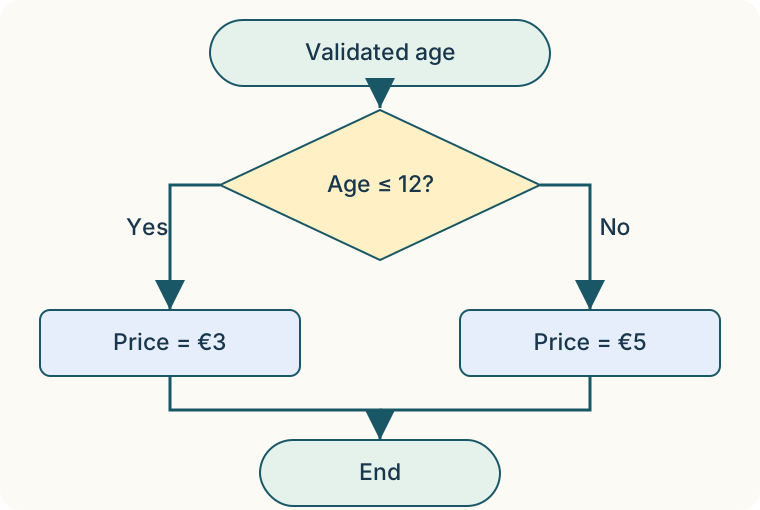
IF… ELSE chooses between two paths. The condition must evaluate to true or false. ‘Is young enough’ is ambiguous; age ≤ 12, in the stated model, is not.
The boundary matters: age = 12 selects 3, age = 13 selects 5. A negative or non-integer age must not enter this scheme: it is an input error. The diagram therefore starts with an already validated age. This is not a real tariff.
Counted repetition: REPEAT
Problem. Prepare five boxes, putting three pencils in each.
| Human solution | Machine solution |
|---|---|
| Recognise five equal groups: we need 5 × 3 = 15 pencils. Repeat the same operation for each box. | Use a counter i starting at 1. Repeat ‘put three pencils in box i’ five times, increasing i by one after each iteration. |
i = 1
REPEAT 5 TIMES:
    Put 3 pencils in box i
    i = i + 1
Here the repetition count is known at the start. The loop body is the group of repeated instructions; the counter distinguishes the five iterations. Boxes 1, 2, 3, 4 and 5 are visited. After the final increment, i is 6, but no sixth iteration is executed.
The loop avoids writing five copies of the instructions. It does not remove the physical work: fifteen pencils still need placing. REPEAT n times in the laboratory follows the same rule and displays the current iteration.
Conditional repetition: WHILE
Problem. Put every item on a list into the bag without knowing in advance how many there are.
| Human solution | Machine solution |
|---|---|
| Keep taking what is missing until no more items remain to be packed. | Check whether the list still contains items. If so, put the first in the bag, remove it from the list and check the condition again. If the list is empty, leave the loop. |
WHILE the list is not empty:
    Put the first item in the bag
    Remove that item from the list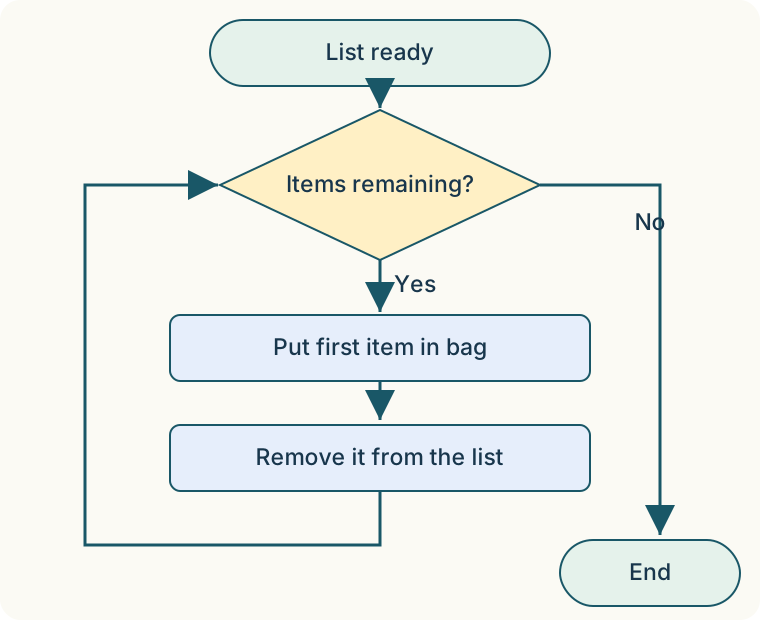
The condition is checked before every iteration. If the list starts empty, the body never executes. With three items, after each iteration there are two, one and zero remaining: this decrease explains why the procedure terminates, assuming nobody adds new items.
If we forget to remove the item from the list, the condition may stay true forever. Writing WHILE is not enough to guarantee termination: understand what changes in the body and why it makes an exit possible. Unlike REPEAT, the iteration count is not fixed at the start.
Laboratory: guide the robot
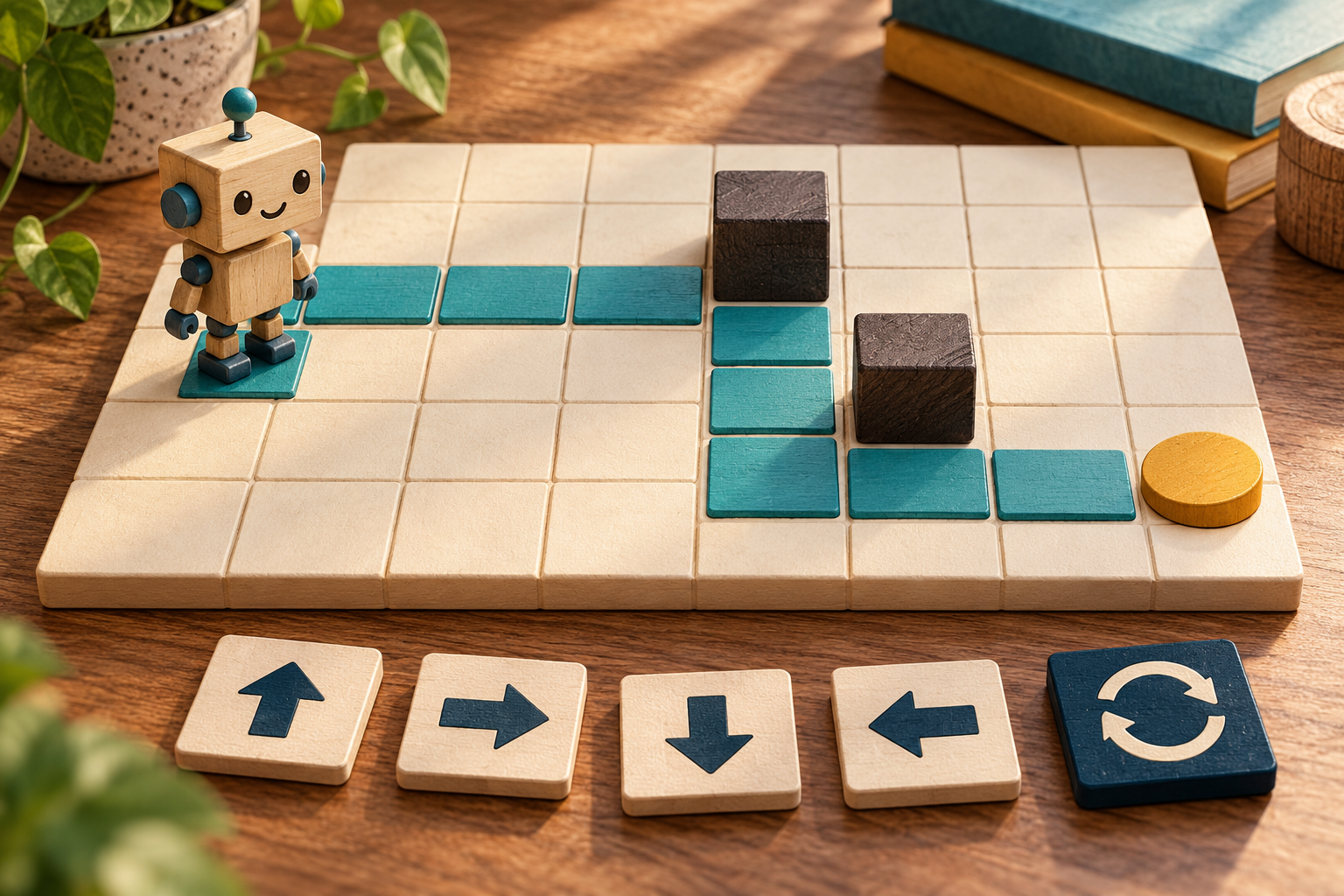
The laboratory puts these ideas on a 6 × 6 grid. The robot has a position and a facing direction; some cells are obstacles and one holds the goal. The task is to finish the program on the goal. Passing over it and then moving away is not enough.
In the first mission the example is a sequence: three forward moves, a left turn and two more forward moves. In the second we use REPEAT for five forward moves and then four, with a turn between the groups. The third combines a loop and a decision.
WHILE not on the goal:
    IF the front is clear:
        Move forward one cell
    ELSE:
        Turn left 90°
‘The front is clear’ checks the adjacent cell in the current direction; the boundary also counts as an obstruction. It does not search for a complete route. The example strategy works on the prepared third grid: it does not guarantee solving every maze. Changing obstacles may create an impossible route or endless repetition.
The laboratory stops after a safety limit of 400 steps. This protects the browser; it is not a mathematical proof of an infinite loop. Guaranteeing termination requires reasoning about the program and its data.
- Choose the mission and observe the start, direction and goal.
- Before running, try to predict the route.
- Press One step: the current block is highlighted and the action or check is described.
- Use Run for animation, Pause to stop and Back to revisit an earlier state.
- Add instructions, change block types, reorder with the arrows or remove with ×. Conditional blocks have two separate branches.
- Tap a free cell to add an obstacle and check whether the program still works. Load example and Restore obstacles let you start again.
Open the Guide the robot laboratory
Testing and correcting an algorithm
Testing means comparing the result with the requirement, not merely observing movement. An error may lie in the statement, data, instruction order or condition. Replaying execution step by step helps find the first point at which the actual state differs from the prediction.
| Test | Result to check |
|---|---|
| Ages 12 and 13 | Prices €3 and €5 respectively: the inclusive boundary is handled correctly. |
| Empty list | The WHILE loop does not execute its body. |
| Obstacle immediately ahead | Move reports a blockage; IF the front is clear selects ELSE. |
| Turn left | Direction changes; position stays the same. |
| Loop without useful changes | Find why the condition does not become false; do not rely only on the safety limit. |
Fewer blocks or fewer actions?
A correct algorithm and a short algorithm are not the same thing. In mission two, nine forward moves and one turn can be written as ten elementary instructions. With two REPEAT blocks, their two bodies and the turn, only five written blocks are needed, but ten actions still execute.
Laboratory steps also include condition checks and repetition control; actions count only forward moves and turns. Do not compare these numbers as if they measured the same thing. Check correctness first, then specify what you want to reduce: program length, actions, memory or time.
Using AI to reason, not just answer
We can ask AI: ‘Propose instructions for this grid, state the initial direction, explain every turn and establish which conditions allow termination.’ A precise request helps expose assumptions but does not guarantee a correct answer.
A useful check is to seek a counterexample: what happens if I add an obstacle, start already on the goal or leave the loop body empty? Compare the explanation with execution and instruction meanings. AI is a partner for reasoning; it does not replace verification.
Conclusion: predict, execute, explain
Sequence, decision and repetition build procedures richer than isolated operations. The point is not to learn three words but to describe which data change, which path is chosen and why the procedure ends.
The habit to practise is simple: predict the result, execute the steps, explain what happened and correct the differences. This links intuition, algorithms and informed control of technology.
Open the Guide the robot laboratory · Read the first lesson again